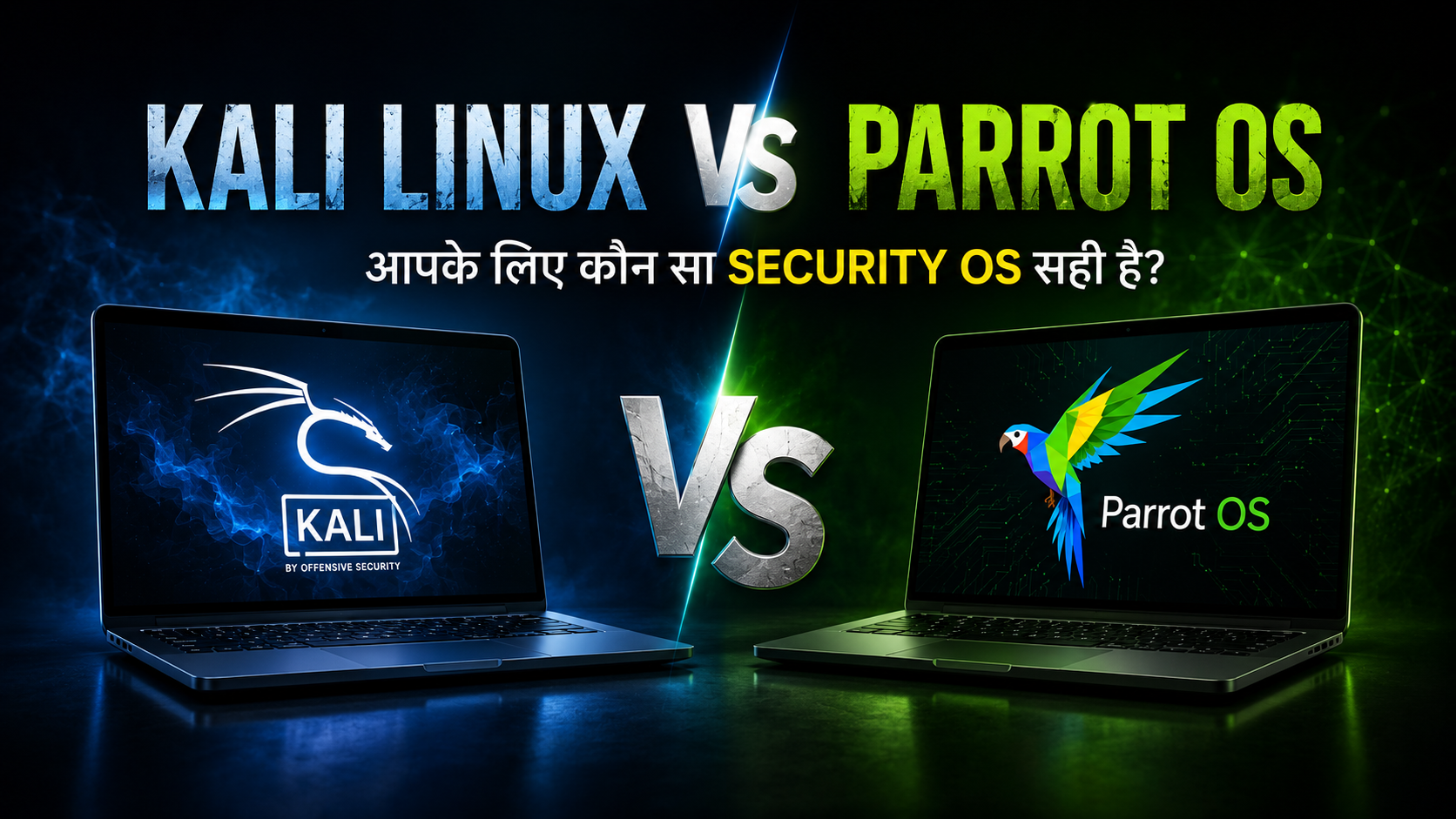
अगर तुम ethical hacking की दुनिया में नए हो, तो पहला बड़ा सवाल यही रहता है – Kali Linux लूँ या Parrot OS? दोनों ही Linux-based operating systems हैं जिन्हें cybersecurity, penetration testing, digital forensics और security research के लिए design किया गया है। दोनों ही professional hackers, security researchers और students को अपनी सेवाएं देते हैं।
लेकिन यहाँ confusion है – दोनों में क्या फर्क है? कौन सा छोटे laptop पर ठीक से चलेगा? कौन सा beginner के लिए better है? कौन सा ज्यादा tools देता है? कौन सा ज्यादा secure है?
यह guide तुम्हें दोनों operating systems को detail में compare करेगा। हम performance, security tools, privacy features, community support, और everyday use experience को देखेंगे। इससे तुम अपने लिए सही decision ले सकोगे।
Related Read – अपना Linux तेज करो! 2026 में Linux System को Fast करने के 7 आसान तरीके | Performance Boost Guide देखो।
Kali Linux और Parrot OS – दोनों क्या हैं?
Kali Linux क्या है?
Kali Linux को Offensive Security ने बनाया है। यह एक Debian-based Linux distribution है जो specifically penetration testing, ethical hacking, digital forensics और security research के लिए design किया गया है।
Kali Linux का मतलब है – एक complete package जिसमें 600+ pre-installed security tools हैं। इसमें network scanning, web application testing, password cracking, wireless network hacking, malware analysis जैसे सभी tools पहले से ही install रहते हैं।
Kali Linux किसके लिए बना है:
- Professional penetration testers
- Security certifications की तैयारी करने वाले students
- Bug bounty hunters
- System administrators जो security assessment करते हैं
Parrot OS क्या है?
Parrot OS को Frozenbox team ने बनाया है। यह भी Debian-based है, लेकिन Kali से थोड़ा अलग approach लेता है।
Parrot OS सिर्फ penetration testing पर ही focus नहीं करता। यह privacy, secure communication, और everyday computing को भी priority देता है। मतलब ये एक complete OS है – hacking के tools भी हैं, privacy tools भी हैं, development tools भी हैं।
Parrot OS किसके लिए बना है:
- Privacy-conscious users
- Developers जो security के साथ भी काम करते हैं
- Researchers और journalists
- Ethical hackers जो casual daily computing भी करते हैं
Performance और Hardware Requirements
यह एक important factor है। अगर तुम्हारा old laptop है, या VirtualBox में चलाना चाहते हो, तो performance मायने रखती है।
Parrot OS ज्यादा Lightweight है
Parrot OS अपने lightweight design के लिए जाना जाता है। यह default रूप से MATE desktop environment use करता है। MATE के फायदे:
- कम RAM consume करता है
- पुराने processors पर भी smooth चलता है
- Minimal background processes
- Fast startup time
अगर तुम्हारे पास एक 10-year-old laptop है, तो Parrot OS इस पर ज्यादा smooth चलेगा।
Kali Linux ज्यादा Modern Hardware के लिए है
Kali Linux अपने default Xfce desktop के साथ आता है। Xfce भी lightweight है, लेकिन Kali officially यह मानती है कि users के पास modern hardware हो:
- Minimum 2 GB RAM (recommended 4 GB)
- Modern processor
- SSD preferred
- Virtual machine में भी अच्छा RAM allocation करना चाहिए
Xfce vs MATE performance में ज्यादा फर्क नहीं है, लेकिन MATE का footprint छोटा है।
Real-World Performance Test
पुराने laptop पर (4 GB RAM):
- Parrot OS: Smooth, responsive, no lag
- Kali Linux: ठीक है, थोड़ा slow लग सकता है
- Winner: Parrot OS
Modern laptop पर (8+ GB RAM):
- Parrot OS: Excellent
- Kali Linux: Excellent
- Winner: Tie
Virtual Machine में (4 GB allocated):
- Parrot OS: बेहतर performance
- Kali Linux: OK, लेकिन heavy applications में थोड़ा slow
- Winner: Parrot OS
Virtual Machine में (8 GB allocated):
- दोनों excellent perform करते हैं
- Winner: Tie
मतलब:
- अगर low-end hardware है तो Parrot OS चुनो
- अगर modern hardware है तो दोनों अच्छे हैं
- Virtual machine users के लिए Parrot OS बेहतर है
Security Tools और Software
यह सबसे important factor है ethical hackers के लिए। क्योंकि तुम्हें penetration testing के लिए जो tools चाहिए, वो सब install रहने चाहिए।
Kali Linux के Security Tools
Kali में 600+ pre-installed security tools हैं। शुरुआत से ही:
Network और Reconnaissance:
- Nmap – network scanning
- Shodan – search engine for devices
- Maltego – OSINT tool
- Wireshark – packet analysis
Web Application Testing:
- Burp Suite Community Edition
- OWASP ZAP
- SQLmap – SQL injection testing
- Nikto – web server scanner
Exploitation:
- Metasploit Framework – exploitation platform
- Searchsploit – exploit database
Wireless Security:
- Aircrack-ng – WiFi cracking
- Hashcat – password cracking
- John the Ripper – password cracking
Forensics:
- Volatility – memory analysis
- Autopsy – digital forensics
Social Engineering:
- Social Engineer Toolkit (SET)
- PhantomJS
Parrot OS के Security Tools
Parrot भी लगभग similar tools देता है, लेकिन कुछ अतिरिक्त चीजें भी:
Kali जैसे Tools:
सभी standard penetration testing tools होते हैं
अतिरिक्त Privacy Tools:
- Tor Browser (pre-installed)
- Proxychains
- VPN management tools
- Encrypted email clients
- Signal
Development Tools:
- Python, Ruby, Go
- Git
- Docker
- VS Code
Multimedia:
- Better media player support
- Audio editing tools
कौन सा ज्यादा tools देता है?
Kali Linux – 600+ security tools के साथ आता है। शुरुआत से ही सब कुछ install रहता है।
Parrot OS – कम tools आते हैं शुरुआत में, लेकिन जो ज्यादा चाहिए वो आसानी से install हो जाते हैं। Plus privacy tools बेहतर हैं।
फैसला: अगर तुम्हें सब tools एक साथ चाहिए तो Kali Linux। अगर तुम basic tools से शुरू करके अपने हिसाब से add करना पसंद करते हो, तो Parrot OS।
Privacy और Security Features
यह एक बड़ा अंतर है।
Kali Linux की Privacy Approach
Kali सिर्फ penetration testing पर focus करती है। Privacy tools को अलग से install और configure करना पड़ता है। Kali की philosophy है – सब tools दो, users अपने हिसाब से configure करें।
अगर तुम्हें Tor, VPN, encrypted communication चाहिए तो manually install करना पड़ता है।
Parrot OS की Privacy Approach
Parrot from day one privacy के बारे में सोचता है। Box के बाहर:
- Tor Browser pre-installed है
- Privacy tools built-in हैं
- Secure communication tools ready हैं
- Anonymization options ready हैं
Parrot की philosophy है – security और privacy दोनों important हैं।
कौन सा ज्यादा Secure है?
Kali Linux:
- Minimal default configuration
- Users को खुद configure करना पड़ता है
- Professional penetration testers के लिए अच्छा (वो जानते हैं क्या करना है)
- Beginner के लिए security configuration मुश्किल हो सकती है
Parrot OS:
- Privacy-first approach
- Secure by default configuration
- Beginners को भी protection मिल जाती है
- Researchers और privacy-conscious users के लिए बेहतर
मतलब: अगर तुम्हें privacy ज्यादा important है, तो Parrot OS चुनो।
Daily Use Experience
क्या तुम इसे अपने main OS के रूप में use कर सकते हो?
Kali Linux as Daily Driver
Kali officially यह नहीं recommend करती कि इसे main OS के रूप में use करो। Kali’s purpose है penetration testing। लेकिन technically तुम कर सकते हो:
फायदे:
- Powerful hacking tools ready हैं
- Professional security environment
- Certifications की तैयारी के लिए perfect
नुकसान:
- बहुत heavy होता है daily use के लिए
- बहुत सारे tools है जिन्हें तुम use नहीं करोगे
- Resource-intensive
Parrot OS as Daily Driver
Parrot specifically इसके लिए designed है:
फायदे:
- Lightweight desktop
- Casual browsing, coding, work सब चल सकता है
- Security tools भी available हैं
- Minimal resource usage
नुकसान:
- Kali जितने tools नहीं हैं
- अगर advanced exploitation tools चाहिए तो install करने पड़ सकते हैं
मतलब: अगर तुम ethical hacking करना चाहते हो लेकिन casual computing भी करते हो, तो Parrot OS better है।
Community Support और Documentation
Linux सीखना मुश्किल है। अगर tutorial, documentation और community support अच्छी हो, तो बहुत काम आता है।
Kali Linux की Community
Strengths:
- दुनिया का सबसे बड़ा cybersecurity community
- Offensive Security official training courses देता है
- Hundreds of YouTube channels Kali पर tutorials देती हैं
- OSCP, CEH, GPEN जैसे certifications Kali use करती हैं
- Hacker forums, Reddit, Discord सब पर Kali discussions
Learning Resources:
- HackTheBox सब platforms Kali teach करते हैं
- TryHackMe Kali-centric है
- Official Kali documentation excellent है
- Penetration Testing Framework (PTF) ready है
Parrot OS की Community
Strengths:
- Growing community
- Active development
- Good official documentation
- Helpful forums
Learning Resources:
- कम YouTube tutorials हैं
- कुछ HackTheBox challenges Parrot पर काम करती हैं
- Documentation अच्छी है
- लेकिन Kali जितने resources नहीं हैं
कौन सा बेहतर है?
Learning के लिए: Kali Linux – बहुत ज्यादा resources उपलब्ध हैं।
Daily support के लिए: दोनों ठीक हैं, लेकिन Kali में ज्यादा solutions मिल जाते हैं।
Beginners को: Kali recommend करूँगा क्योंकि tutorials ज्यादा हैं।
Full Comparison Table
नीचे देखो – दोनों OS की detailed comparison:
| Feature | Kali Linux | Parrot OS Security |
|---|---|---|
| Base Distribution | Debian | Debian |
| Desktop Environment | Xfce (modern) | MATE (lightweight) |
| RAM Usage (Idle) | 400-600 MB | 250-400 MB |
| CPU Usage | Moderate | Low |
| Pre-installed Tools | 600+ security tools | 400+ tools + privacy |
| Best For | Professional pen testing | Balanced + daily use |
| Learning Resources | Excellent (1000s) | Good (growing) |
| Privacy Tools | Install separately | Pre-configured |
| Lightweight | Moderate | Very lightweight |
| Certification Support | OSCP, CEH, GPEN | General training |
| Community Size | Largest cybersecurity | Growing, active |
| Official Training | Yes (Offensive Security) | Limited |
| VM Performance (2GB RAM) | OK | Excellent |
| VM Performance (4GB RAM) | Good | Excellent |
| Customization | High flexibility | Balanced |
| Security by Default | Minimal | Strong |
| Daily Use Comfort | OK (heavy) | Excellent |
| Development Tools | Install needed | Better integrated |
| Update Frequency | Regular | Regular |
| Bug Bounty Friendly | Yes | Yes |
| Forum Activity | Very active | Active |
अक्सर पूछे जाने वाले सवाल
क्या दोनों में से किसी एक के साथ मैं main OS के रूप में काम कर सकता हूँ?
हां, दोनों के साथ संभव है, लेकिन Parrot OS ज्यादा suitable है daily use के लिए। Kali Linux को penetration testing के लिए अलग रखना better है।
क्या मैं Windows छोड़कर Linux पर shift कर सकता हूँ?
Parrot OS के साथ हां, Kali के साथ नहीं। Parrot एक complete desktop OS है। Kali एक penetration testing platform है।
कौन सा सिखने के लिए बेहतर है – beginner के लिए?
Kali Linux – क्योंकि tutorials बहुत हैं। लेकिन Parrot भी ठीक है अगर तुम self-learn कर सको।
क्या दोनों में बिल्कुल same tools हैं?
लगभग same, लेकिन Kali में 600+ tools हैं, Parrot में 400+ हैं। अतिरिक्त tools install कर सकते हो।
कौन सा faster है?
Parrot OS faster है performance के मामले में।
कौन सा ज्यादा secure है?
Parrot OS अपने default configuration के साथ ज्यादा secure है। Kali को manually secure करना पड़ता है।
क्या मैं Parrot OS से penetration testing कर सकता हूँ?
हां, बिल्कुल। Parrot में सभी जरूरी tools हैं। Kali की तरह सब pre-installed नहीं हैं, लेकिन install कर सकते हो।
क्या मैं Kali को privacy OS के रूप में use कर सकता हूँ?
हां, लेकिन Parrot OS इसके लिए बेहतर है क्योंकि privacy tools पहले से हैं।
Virtual Machine में कौन सा चलाऊँ?
Parrot OS – कम RAM से शुरू कर सकते हो (2-3 GB)। Kali को कम से कम 4 GB दो।
आखिरी फैसला – कौन सा चुनें?
यह सवाल का जवाब तुम्हारे use case पर निर्भर करता है।
Useful Resources
Kali Linux चुनो अगर:
- Professional penetration testing करना है – आपके पास सभी tools एक जगह होंगे
- Certification की तैयारी करनी है – OSCP, CEH, GPEN के लिए Kali recommended है
- Tutorials follow करना है – YouTube पर हजारों Kali tutorials हैं
- Bug bounty hunting करना है – Professional environment चाहिए
- Modern hardware है – 8+ GB RAM और SSD है
- Penetration testing करना है और कुछ नहीं – एक dedicated platform चाहिए
Parrot OS चुनो अगर:
- Casual ethical hacking करना है – लेकिन daily computing भी करनी है
- Low-end hardware है – Old laptop पर smooth चलाना चाहते हो
- Privacy important है – Default secure configuration चाहिए
- Developer भी हो – Hacking के साथ coding भी करते हो
- Lightweight OS चाहिए – Minimal resource usage
- Privacy + Security दोनों चाहिए – एक balanced solution
- Virtual Machine में चलाना है – कम RAM के साथ
मेरी Personal Recommendation:
Beginners के लिए: Kali Linux
- ज्यादा resources available हैं
- सीखना आसान है
- Professional environment
- Certifications के लिए direct support
Experienced hackers के लिए: Personal choice
- दोनों excellent हैं
- अपनी पसंद के हिसाब से चुनो
- Professional Kali
- Casual Parrot
Students के लिए: Kali Linux
- OSCP की तैयारी के लिए अच्छा
- Hacking labs के लिए optimized
- Certifications supported
Privacy-conscious users के लिए: Parrot OS
- Default secure configuration
- Privacy tools ready हैं
- Daily use के लिए suitable
Final Thoughts
दोनों operating systems excellent हैं। Kali Linux industry standard है penetration testing के लिए, लेकिन Parrot OS एक more balanced solution है जो everyday computing के साथ hacking को combine करता है।
सबसे important बात: Operating system matter करता है, लेकिन तुम्हारा knowledge और skills ज्यादा matter करते हैं। सही OS चुनने से पहले यह decide करो:
- मैं daily use के लिए क्या करूँगा?
- मुझे कितने tools की जरूरत है?
- मेरा hardware capability क्या है?
- मुझे कितना support चाहिए?
इन सवालों के जवाब के बाद तुम सही decision ले सकोगे।
याद रहे – ethical hacking केवल authorized targets पर ही करो। जिम्मेदारी से Linux का उपयोग करो। सुरक्षा की दुनिया में आपका स्वागत है!